
Barber Management

How to Sell Barbers in Roll a Barber RNG

Last updated:

Turn unwanted barbers into cash at the red-and-white SELL stall. Check which barbers are eligible before selling, and lock any reserves you want to keep.

Open the SELL stall in the plaza, then click an eligible barber to sell it individually or press SELL ALL to sell all eligible barbers. Locked and equipped barbers are kept. Cards marked IN USE cannot be sold in that state.

Find the Sell Stall and Check Eligible Barbers

Find the red-and-white SELL stall in the plaza near the shop and open its sale menu.

Check the summary above the cards: it lists how many barbers can be sold and their combined cash value. A barber must be unlocked and unequipped to be eligible. Dimmed cards marked IN USE are protected, even when a price appears beneath them.

To sell a current worker, select that barber in BARBERS and choose UNEQUIP first. For help choosing a replacement, use the lineup guide.
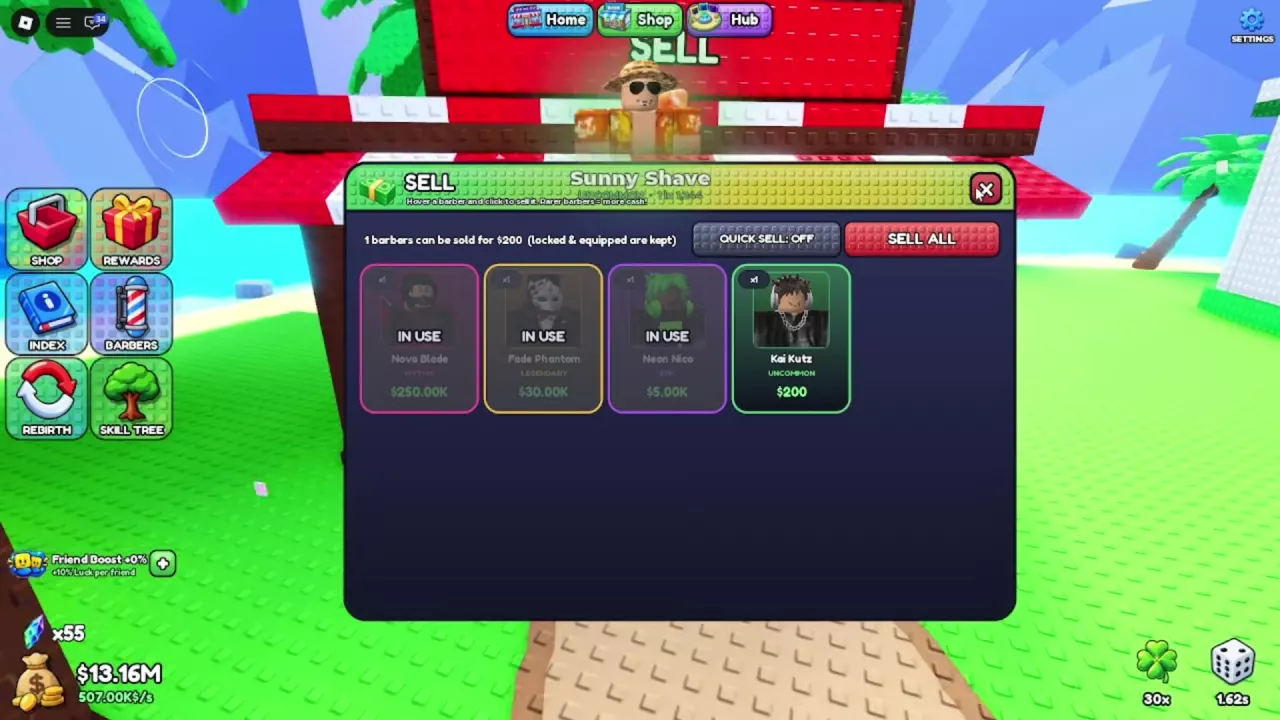
Sell menu with Kai Kutz eligible for $200 and three barbers marked In Use.

Sell One Barber or Use Sell All

  1. Open SELL and review the eligible cards and total.
  2. To sell individually, hover over the unwanted barber’s card and click it.
  3. To clear all eligible inventory, press SELL ALL instead.

SELL ALL keeps locked and equipped barbers. When no eligible barbers remain, the menu reads “Nothing to sell right now.” Protected cards can still remain in the list, so this message does not mean your entire inventory is empty.

Protect Keepers and Read Sale Values

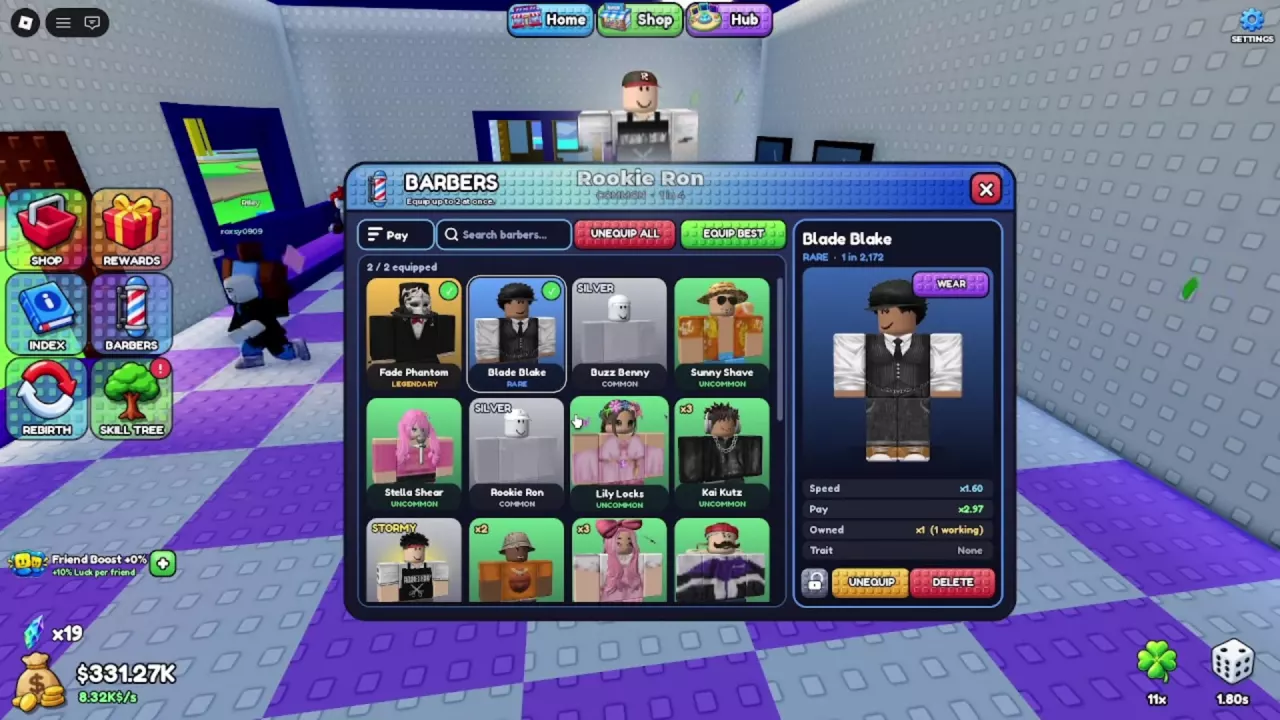
Before clearing inventory, open BARBERS, select a barber you want to keep, and use the lock icon at the bottom of the details panel. Lock reserves you want to retain even while they are off your working team.

Rarer barbers sell for more cash. These card values illustrate the difference between a listed price and an eligible sale:

Barber Rarity Sale card value Status in this menu
Kai Kutz Uncommon $200 Eligible
Neon Nico Epic $5,000 IN USE; protected
Fade Phantom Legendary $30,000 IN USE; protected
Nova Blade Mythic $250,000 IN USE; protected

With this inventory, the sale summary totals $200, because Kai Kutz is the only eligible barber. The prices on the three protected cards do not contribute to that total.

Before selling a potential replacement worker, compare their stats and trait configuration in the barber directory.

Barbers details panel with the lock icon beside Unequip and Delete.

Recognize the Other Inventory Controls

  • QUICK SELL is a separate toggle beside SELL ALL in the sale menu. Leave it OFF to follow the manual selling steps above.
  • DELETE is a separate button at the bottom of a selected barber’s BARBERS details panel. Use the SELL stall when your goal is to exchange barbers for cash.
  • WEAR appears near the upper-right corner of the selected barber’s preview, separate from EQUIP or UNEQUIP.
Sell menu with Kai Kutz eligible for $200 and three barbers marked In Use.